

Novatek-Electro OB-216
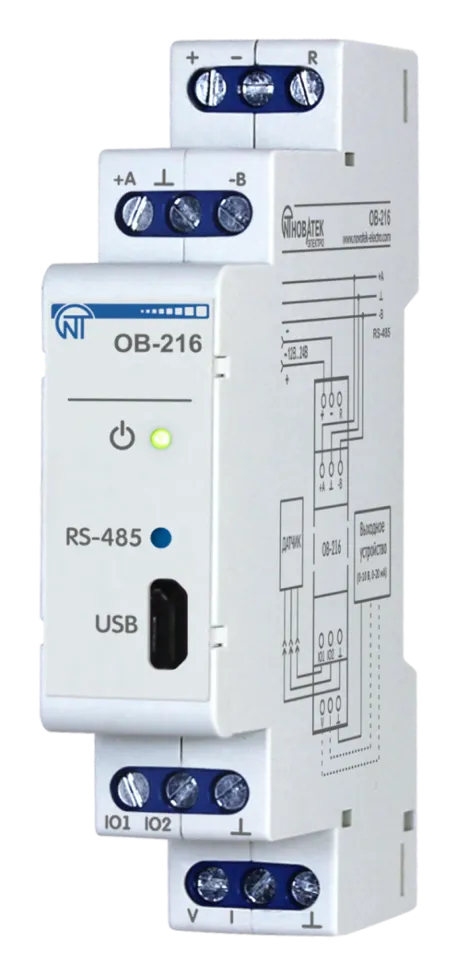
The OB-216 is a digital input/output module manufactured by NOVATEK-ELECTRO LTD. It provides versatile measurement and control capabilities via RS-485 and USB interfaces using the Modbus protocol, with analog output functionality.
Key Features
Section titled “Key Features”- Remote DC voltage measurement (0–10 V)
- Remote DC current measurement (0–20 mA)
- Temperature measurement with analog sensors NTC (10KB), PTC 1000, or PT 1000
- Temperature and humidity measurement with digital sensors DS18B20, DHT11, DHT21/AM2301, DHT22
- Pulse counter with memory storage (discrete, voltage, or current modes)
- Dry contact input state tracking (logic input)
- Analog output (0–10 V voltage or 0–20 mA current)
- RS-485 and USB communication interfaces
- Modbus RTU/ASCII protocol support
Common Use Cases
Section titled “Common Use Cases”- Remote sensor data acquisition and control
- Industrial process monitoring with analog outputs
- Building automation I/O expansion
- Environmental monitoring and HVAC control
- Laboratory measurement and control systems
Documentation
Section titled “Documentation”Getting Started
Section titled “Getting Started”- Quick Start and Application Setup – Initial connection, mode selection, and step-by-step procedures for every supported input and sensor
- Operating Manual – Complete specifications, installation, wiring, operation, safety, and maintenance information
- Modbus Interface – USB and RS-485 configuration, Modbus RTU/ASCII protocol details, and register reference
Advanced Features
Section titled “Advanced Features”- Firmware & Updates – Firmware versions, update procedures, and release notes
- Software Tools – Download utilities for testing and configuration
Resources
Section titled “Resources”- OB-216 Product Page – Full product information and specifications
- One-Page Documentation – Complete documentation on a single page for printing
- OB-216 Full Manual (PDF) – Complete operating manual
Support
Section titled “Support”- Knowledge Base: Browse this documentation for detailed guides and references
- Support Center: Visit our Support Center for FAQs and troubleshooting
- Report an Issue: Submit a support ticket for technical assistance