

Overvis MC261
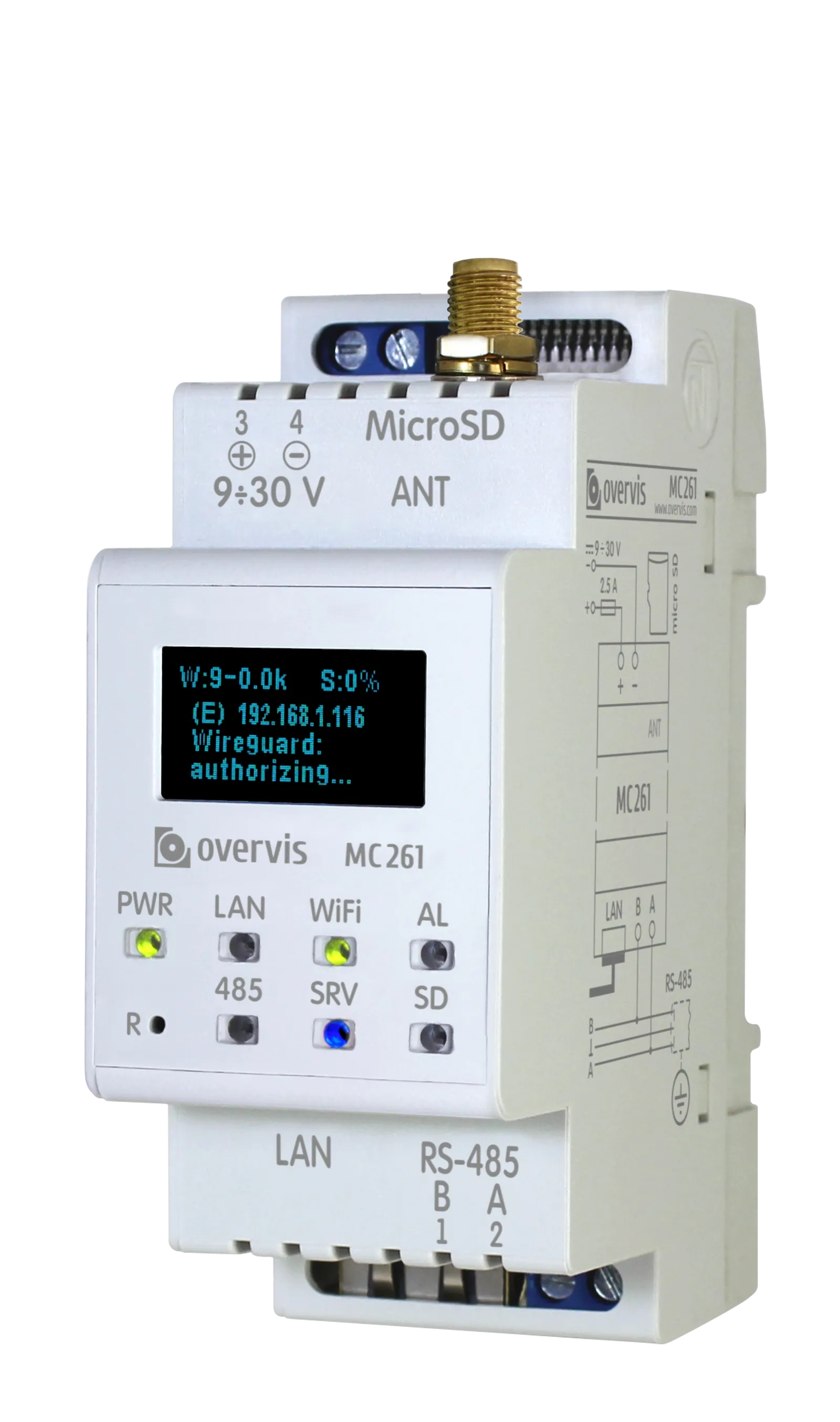
The Overvis MC261 is a programmable industrial controller and gateway for LoraSens wireless sensors and RS-485 Modbus equipment. It combines 10/100 Ethernet, 2.4 GHz Wi-Fi, 868 MHz LoRa, Modbus RTU/ASCII/TCP, local automation, and microSD data logging in a DIN-rail enclosure.
Key capabilities
Section titled “Key capabilities”- Modbus gateway: bridges Modbus RTU/ASCII on RS-485 and Modbus TCP
- Resilient networking: Ethernet and Wi-Fi with automatic interface selection and failover
- Wireless sensors: integrated 868 MHz LoRa radio using LoraSens protocol, with up to 40 sensors
- Secure remote access: optional WireGuard VPN and configurable access controls
- Web and REST management: browser configuration plus an HTTP API
- Programmable logic: task files for polling, calculations, conditions, writes, and logging
- Local storage: FAT/FAT32 microSD support up to 32 GB for tasks, logs, settings, and updates
- Industrial design: 9–30 V DC operation, 35 mm DIN-rail mounting, –35 to +55 °C range
Typical uses
Section titled “Typical uses”- Connecting serial Modbus equipment to local or remote TCP clients
- Collecting data from wired equipment and LoraSens sensors
- Network extension and consolidation across multiple locations
- Data logging and archival with local storage
- Interconnection of monitoring and control equipment
- Providing timer or schedule functionality for control equipment
- Integration with cloud platforms and IoT systems
- Transporting non-Modbus serial packets through transparent tunnel connections
Documentation
Section titled “Documentation”Get started
Section titled “Get started”- Quick Start Guide — Wire, power, configure, and test MC261 in 15 minutes
- Operating Manual — Complete safety information, technical specifications, and operating procedures
- Web Interface — Web interface overview and navigation guide
Configure and integrate
Section titled “Configure and integrate”- Connections and Network Setup — Ethernet, Wi-Fi, VPN, and server link recommendations
- Modbus Interface — Modbus RTU/ASCII and TCP behavior, access control, commands, and complete register tables
- Memory Card — Using microSD cards for storage, automations, logging, and firmware updates
Automate and maintain
Section titled “Automate and maintain”- Logic Programming — Create custom automation tasks, triggers, and event handlers
- HTTP API Reference — Complete REST API documentation for programmatic device control
- Firmware & Updates – Firmware versions, update procedures, and release notes
- Software Tools – Download utilities for testing and configuration
Support
Section titled “Support”Ready to get started? Head to the Quick Start Guide to set up your MC261 in minutes.