

Novatek-Electro EM-482
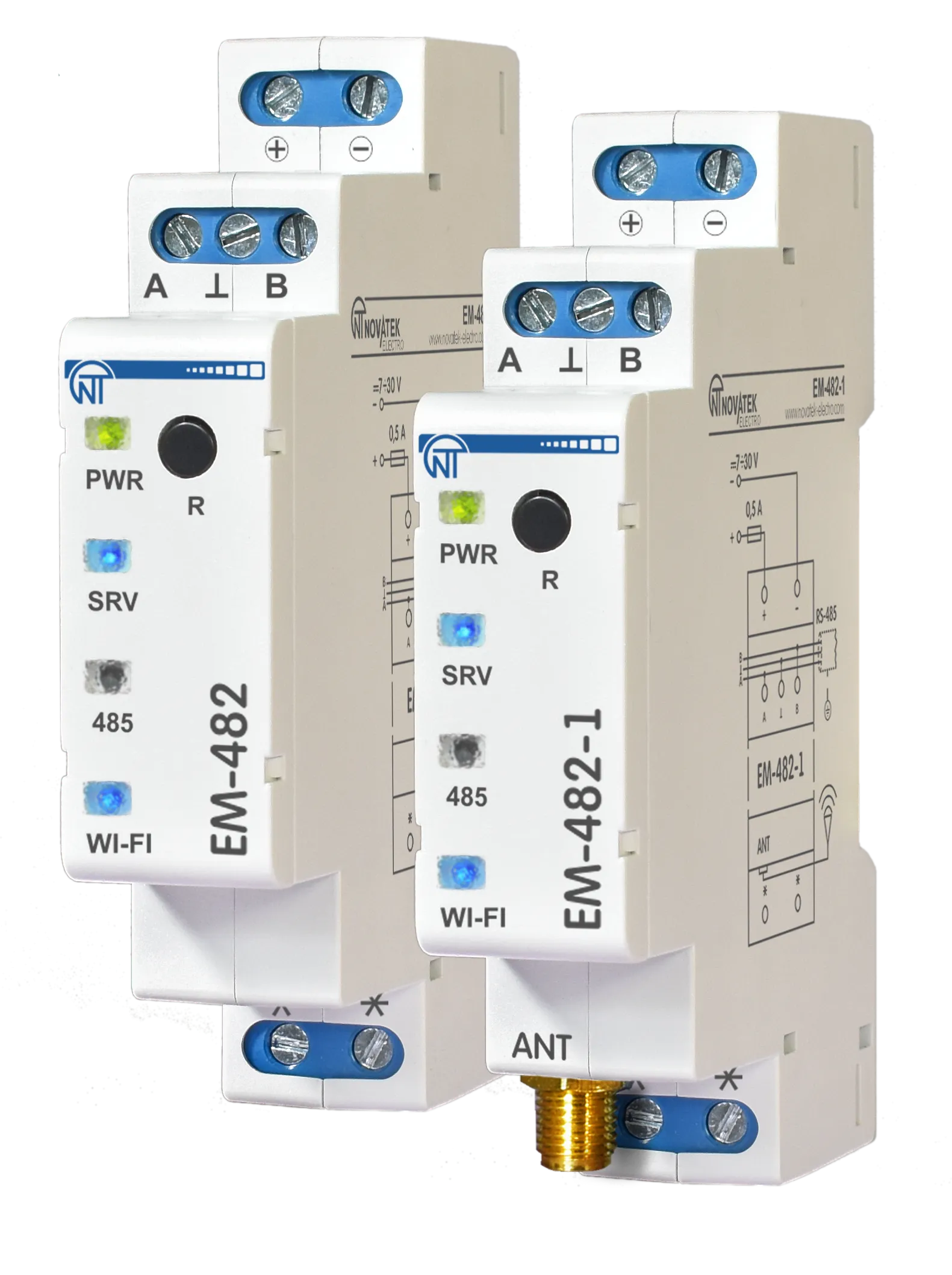
The EM-482 and EM-482-1 are protocol converters manufactured by NOVATEK-ELECTRO LTD. They provide MODBUS communication between devices at RS-485 interface and between clients and servers in TCP networks via Wi-Fi.
The Product is available in two versions (both with a built-in antenna):
- EM-482 for mounting in conditions with a good Wi-Fi signal (for example, in plastic cases)
- EM-482-1 with additionally included remote antenna for mounting in conditions with a weak Wi-Fi signal (for example, in metal cases)
Key Features
Section titled “Key Features”- Protocol Bridge: Convert RS-485 Modbus RTU/ASCII to Modbus TCP for seamless equipment integration
- Flexible Operation: Function as Modbus master or slave; custom redirection between TCP client and server, RS-485 master or slaves.
- Quick Start Web Interface: Main communication parameters are configured in Wi-Fi access point mode using web-browser
- Automatic access point switch: A stronger signal access point is selected out of the several points with the same SSID
- Modbus Control Interface: All configuration and monitoring parameters available for a Modbus client, or master, with multi-level access control
- On-Device LEDs: Mode and connection status LEDs to simplify setup and diagnostics.
- Industrial Grade: DIN-rail mountable, IP20 rated, operating temperature –35°C to +45°C
- Firmware update capability: Manual upgrade or a remote command-triggered automatic upgrade
Common Use Cases
Section titled “Common Use Cases”- Connecting legacy RS-485 MODBUS devices to modern SCADA systems via Wi-Fi networks
- Wireless MODBUS gateway for industrial equipment
- Remote monitoring integration via Wi-Fi
- Network extension and consolidation across multiple locations
- Building automation system connectivity
- Integration with cloud platforms and IoT systems
Documentation
Section titled “Documentation”Getting Started
Section titled “Getting Started”- Quick Start Guide – Get your EM-482 up and running in 15 minutes with step-by-step setup instructions
- Operating Manual – Complete safety information, technical specifications, and operating procedures
Configuration
Section titled “Configuration”- Connections & Network Setup – Wi-Fi and server link recommendations
- Modbus Interface – Modbus RTU/ASCII and TCP configuration, parameter reference
Advanced Features
Section titled “Advanced Features”- Firmware & Updates – Firmware versions, update procedures, and release notes
- Software Tools – Download utilities for testing and configuration
Resources
Section titled “Resources”- EM-482 Product Page – Full product information and specifications
- One-Page Documentation – Complete documentation on a single page for printing
- EM-482 Full Manual (PDF) – Complete operating manual
Support
Section titled “Support”- Knowledge Base: Browse this documentation for detailed guides and references
- Support Center: Visit our Support Center for FAQs and troubleshooting
- Report an Issue: Submit a support ticket for technical assistance