

Overvis OPCB-221B
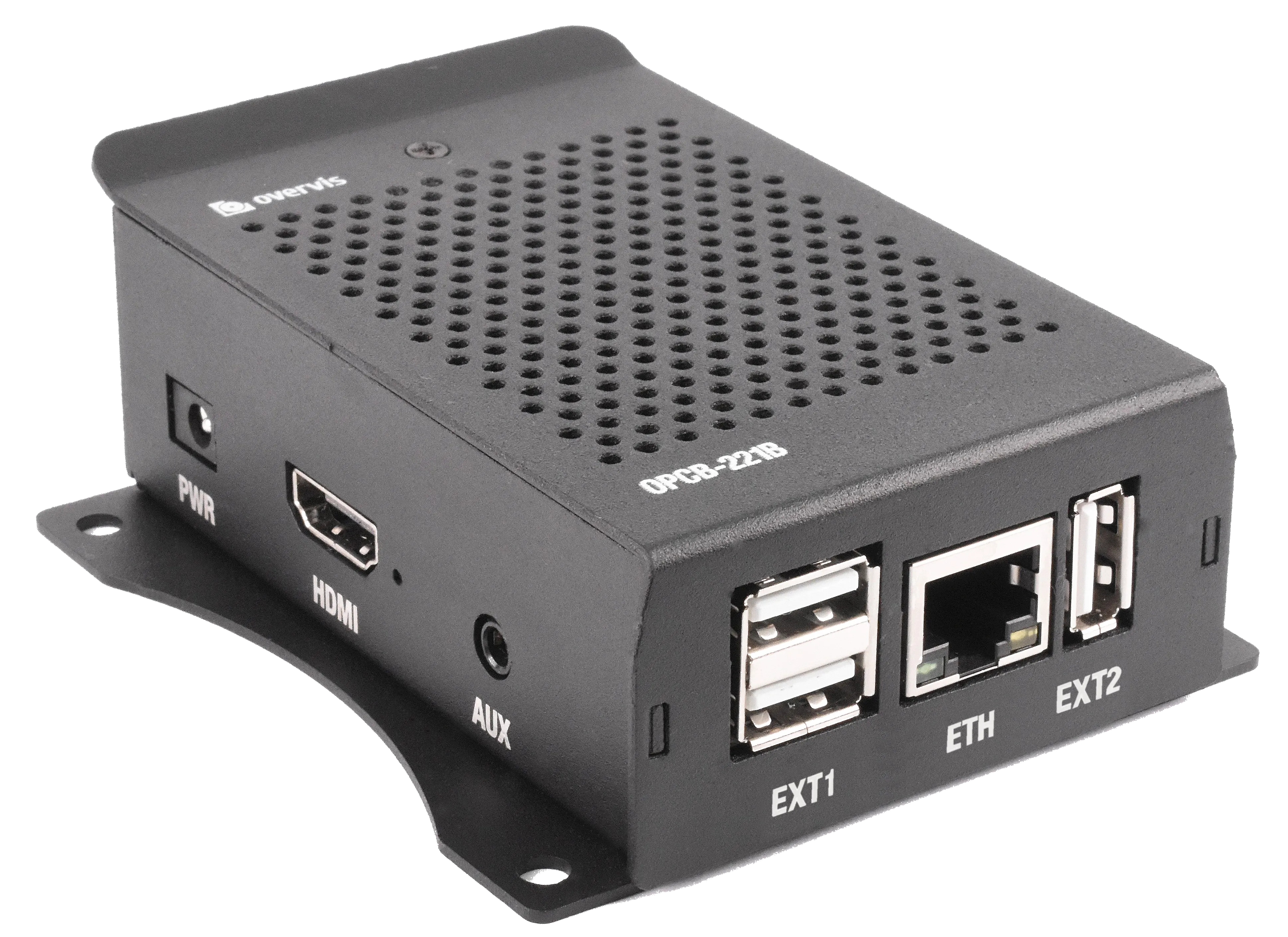
The Overvis OPCB-221B is a communication controller device suitable for industrial applications. Its main function is to connect MODBUS equipment with the Overvis cloud monitoring system or other SCADA systems. OPCB-221B operates as a MODBUS RTU↔TCP converter.
Key Capabilities
Section titled “Key Capabilities”- MODBUS RTU/TCP Converter: Bridge RS-485 devices to TCP/IP networks seamlessly
- Built-in Overvis Cloud Support: Native integration with www.overvis.com for remote monitoring
- Flexible Operation: Serve as TCP server or client, MODBUS RTU master or slave
- Multiple Connectivity Options: LAN and/or Wi-Fi connection, optional 3G/LTE via USB modem
- RS-485 Network Extension: Support multiple RS-485 networks with configurable settings
- Web Interface: Browser-based configuration accessible locally, via Wi-Fi AP, or through cloud
- Wi-Fi Access Point: Built-in hotspot mode for easy initial setup
- MODBUS ASCII Support: Compatible with both RTU and ASCII protocols
- HTTP API: RESTful interface for web applications and automation
- Remote Configuration: Configure via MODBUS or web interface from anywhere
Common Use Cases
Section titled “Common Use Cases”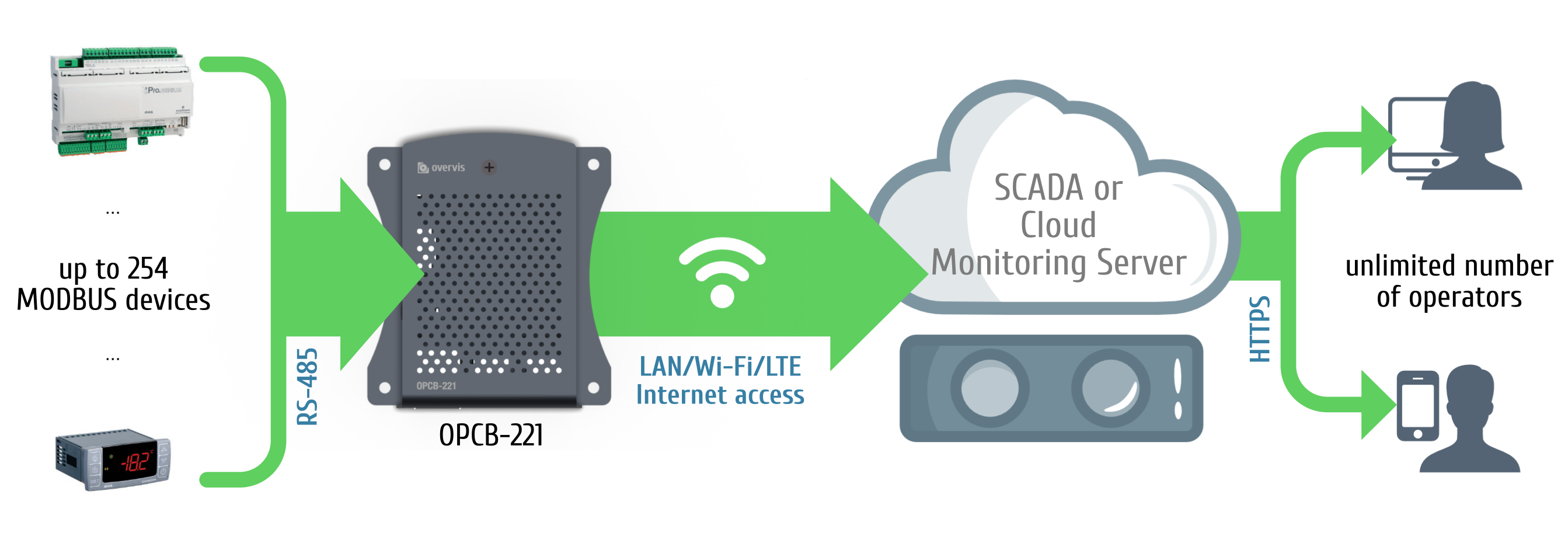
OPCB-221B is used to connect:
- Refrigeration controllers
- HVAC systems controllers
- Agricultural smart devices
- Power network relays, meters, and other electrical equipment
- Industrial IoT devices
- Industrial sensors and meters
- Any other MODBUS-compatible electronics
Overvis Cloud Integration
Section titled “Overvis Cloud Integration”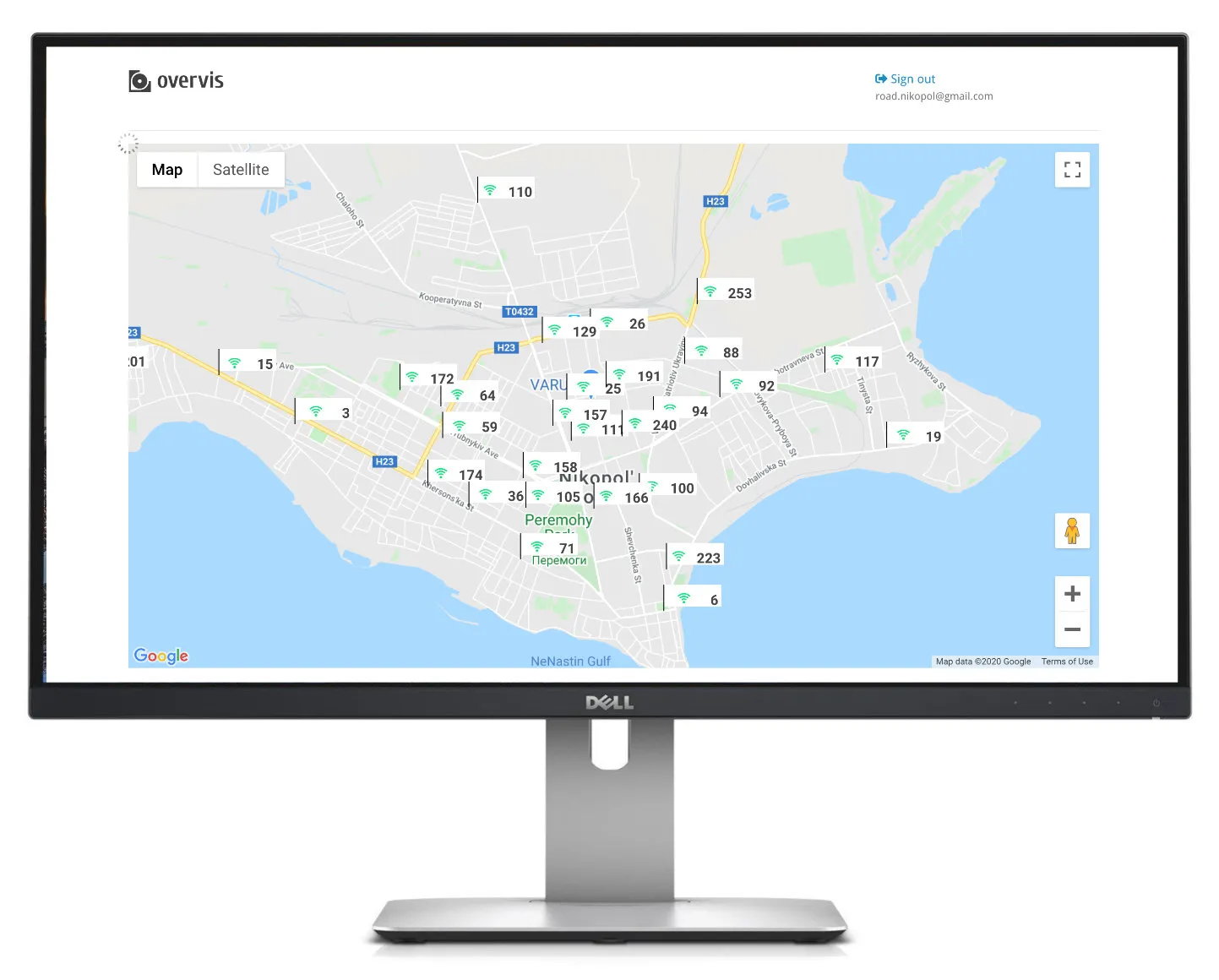
In conjunction with Overvis cloud monitoring, OPCB-221B devices provide:
Data Collection:
- Gather operational data points (any numeric values) from your equipment
- Store history of operational data, and get insights and analytics
- Collected data is fully exportable (Excel, CSV)
- Hazard Analysis Critical Control Point (HACCP) reporting
SMS and Email Notifications:
- Configure alarms for operational parameter thresholds or connection errors
- Set up a “chain of responsibility” requiring alarm confirmations from personnel and escalating them in the absence of response
- All alarm actions are logged and ready for review
Real-time Monitoring and Control:
- Create dashboards with real-time information received from the equipment
- Visualize the data using open SVG format
- Use Google Maps API to display objects’ locations
- Use JavaScript and Overvis API to set up quick action controls for operation personnel
And More:
- Use templates to quickly create devices and alarms
- Manage access levels for different accounts inside one organization
- Works with dynamic IPs and bypasses firewalls
- Optimized mobile access
- Industry-standard encryption
- Overvis API allows the automation of control and can be used to load data into other management systems
Documentation
Section titled “Documentation”- Operating Manual – Complete safety information, technical specifications, connection diagrams, and operating procedures
Support
Section titled “Support”- Knowledge Base: Browse this documentation for detailed guides and references
- Support Center: Visit our Support Center for FAQs and troubleshooting
- Report an Issue: Submit a support ticket for technical assistance
- Contact Sales: Questions about purchasing or licensing? Contact our sales team
Ready to get started? Head to the Operating Manual to learn about installation, connection, and configuration.