

Overvis MC251
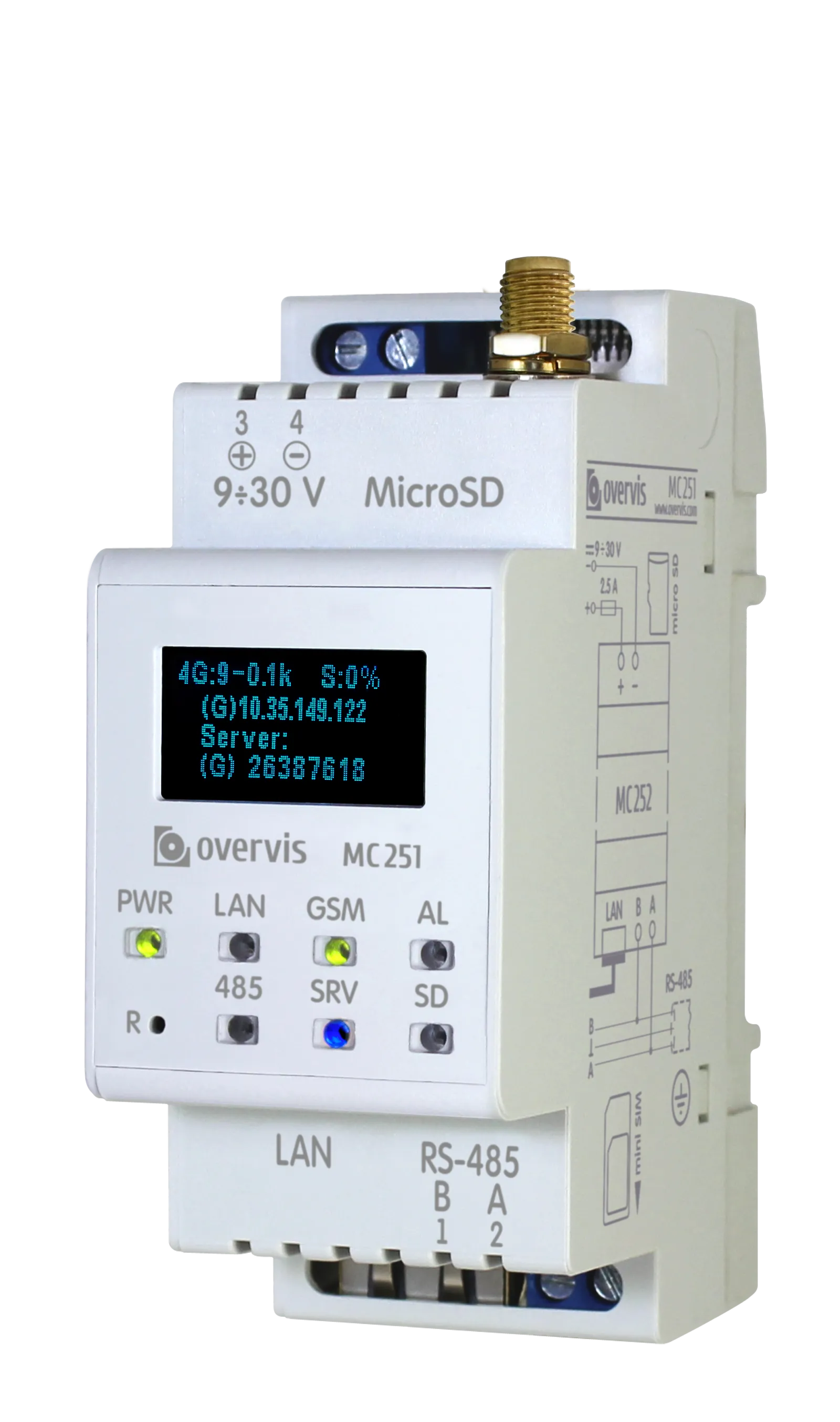
The Overvis MC251 is a Cloud-first programmable RS-485 to Ethernet / GSM / LTE gateway and controller designed for industrial automation and remote monitoring applications. It bridges Modbus RTU/ASCII protocols to the cloud platform, enabling seamless integration of legacy industrial equipment with the cloud. It can also bridge to modern TCP/IP networks, SCADA systems, and IoT infrastructures.
Key Capabilities
Section titled “Key Capabilities”- Secure Cloud Connection: Built-in WireGuard VPN client for convenient cloud management and monitoring
- Protocol Bridge: Convert RS-485 Modbus RTU/ASCII to Modbus TCP for seamless equipment integration
- Dual Connectivity: Ethernet (10/100 Mbps) and 4G/LTE with GSM fallback, configurable priority and automatic failover
- Flexible Operation: Function as Modbus master, slave, or transparent bridge; address remapping option
- Web Interface: Complete browser-based configuration and monitoring interface with multi-level access control
- HTTP API: RESTful API for programmatic access to device settings, functions and real-time data
- Programmable Logic: Execute custom automation tasks, event triggers, and data logging via scripting
- Data Storage: MicroSD card support (up to 32TB) for firmware updates, configuration backups, scripting, and data logging
- On-Device Display: Built-in OLED screen shows real-time connection status and diagnostic information, and speeds-up quick start
- Industrial Grade: DIN-rail mountable, IP20 rated, operating temperature –35°C to +55°C
Common Use Cases
Section titled “Common Use Cases”- Integration with Overvis cloud platform
- Bridging legacy Modbus RTU devices to modern SCADA systems
- Remote monitoring and control of RS-485 equipment over cellular networks
- Network extension and consolidation across multiple locations
- Data logging and archival with local storage
- SMS-based alerting and remote diagnostics
- Interconnection of monitoring and control equipment
- Providing timer or schedule functionality for control equipment
Documentation Structure
Section titled “Documentation Structure”Getting Started
Section titled “Getting Started”- Quick Start Guide – Get your MC251 up and running in 15 minutes with step-by-step setup instructions
- Operating Manual – Complete safety information, technical specifications, and operating procedures
- User Interface – Web interface overview and navigation guide
Configuration
Section titled “Configuration”- Connections & Network Setup – Ethernet, GSM/LTE, and server VPN link recommendations
- Modbus Interface – Modbus RTU/ASCII and TCP configuration, parameter reference
- Memory Card – Using microSD cards for storage, automations, logging, and firmware updates
Advanced Features
Section titled “Advanced Features”- Logic Programming – Create custom automation tasks, triggers, and event handlers
- HTTP API Reference – Complete REST API documentation for programmatic device control
- Firmware & Updates – Firmware versions, update procedures, and release notes
- Software Tools – Download utilities for testing and configuration
Resources
Section titled “Resources”- MC251 Product Page – Full product information and specifications
- One-Page Documentation – Complete documentation on a single page for printing
- MC251 Full Manual (PDF) – Download complete operating manual file
Support
Section titled “Support”- Knowledge Base: Browse this documentation for detailed guides and references
- Support Center: Visit our Support Center for FAQs and troubleshooting
- Report an Issue: Submit a support ticket for technical assistance
- Contact Sales: Questions about purchasing or licensing? Contact our sales team
Ready to get started? Head to the Quick Start Guide to set up your MC251 in minutes.