

HTTP API
This HTTP API provides an interface for interacting with the Overvis MC251 device.
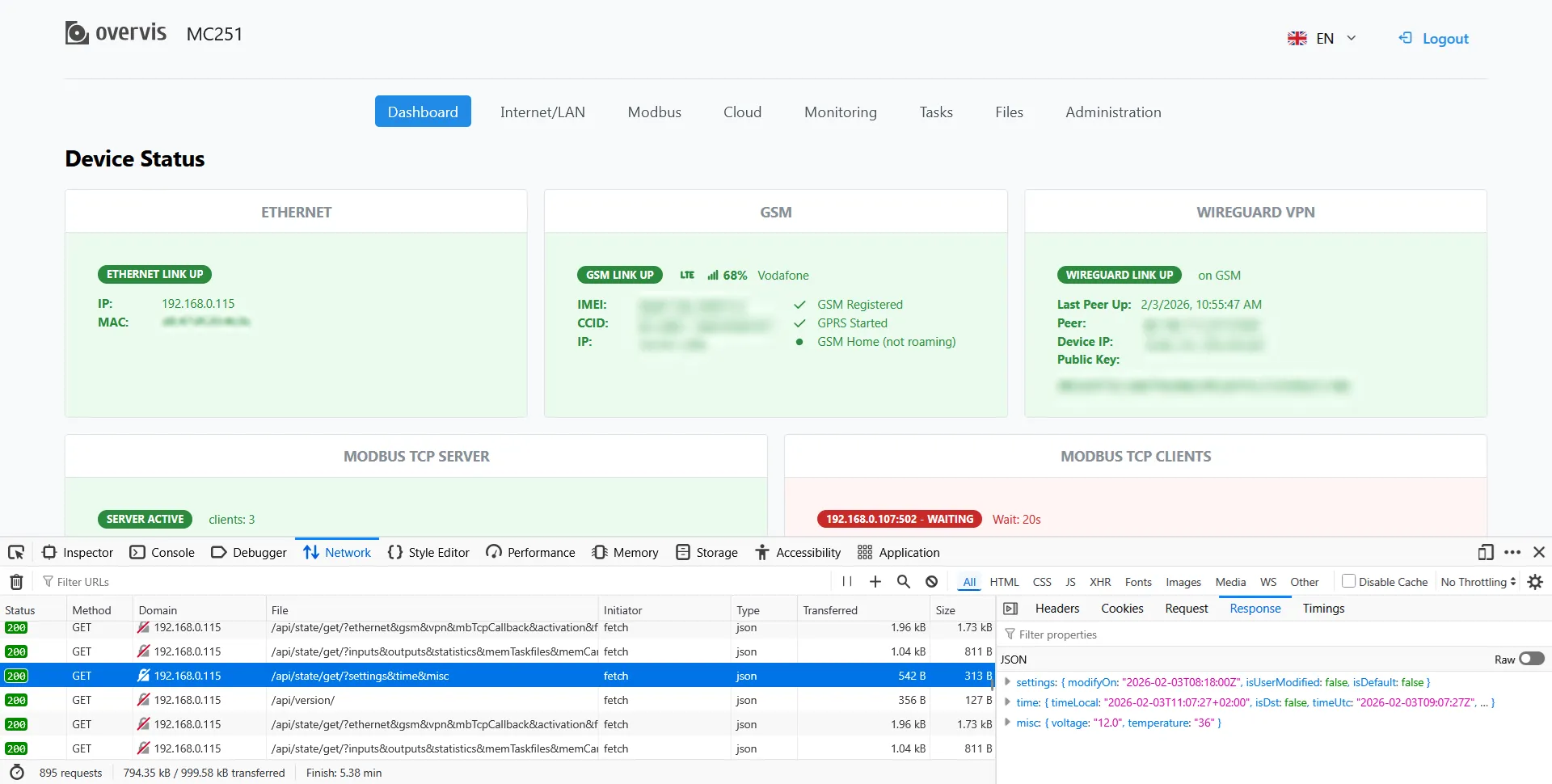
All requests are made to paths starting with /api (except for memory card file downloads, which start from /card).
The API supports GET and POST methods, some of which require authorization.
General Principles
Section titled “General Principles”- All data is transferred in JSON format.
- Successful responses use the
200 OKstatus. - Errors are handled with appropriate HTTP statuses (
400 Bad Request,404 Not Found,503 Service Unavailable, etc.). - API request errors additionally contain a JSON object:
{ "error": "error code", "message": "error text" }. - HTTP keep-alive is supported.
- Access to the API uses 3 access levels:
- 🟩 0 - Guest
- 🟨 1 - Power User
- 🟥 2 - Administrator
Authorization
Section titled “Authorization”Authorization via API
Section titled “Authorization via API”To perform protected requests, you must complete the authorization procedure:
- Get a
saltat/api/login/salt/. - Log in via
/api/login/by sending a SHA1 password hash:login + password + salt(withadminfor login). - All subsequent requests must include the session token
Bearer xxxxxxxxxxin theAuthorizationheader.
Logout is performed via /api/cmd/logout/.
After successful authorization, the user receives access level 🟨 1 (Power User).
Authorization via Front Panel Button
Section titled “Authorization via Front Panel Button”Press the button on the front panel of the MC251 device once. After this, a user with Guest rights temporarily receives access level 🟨 1 (Power User) for 10 minutes.
Authorization via VPN Cloud
Section titled “Authorization via VPN Cloud”All requests coming from the VPN cloud automatically receive access level 🟥 2 — Administrator.
Endpoints Summary
Section titled “Endpoints Summary”GET Requests
Section titled “GET Requests”| Path | Purpose | Access Level |
|---|---|---|
/api/version/ | Device firmware version | 🟩 0 |
/api/login/salt/ | Get salt for password hashing | 🟩 0 |
/api/authorization/get/ | Get authorization and access data | 🟩 0 |
/api/identify/ | Physical device identification | 🟨 1 |
/api/state/get/?key&... | Get current device state by key | 🟨 1 |
/api/settings/active/get/?key&... | Get active settings by key | 🟨 1 |
/api/settings/saved/get/?key&... | Get saved settings by key | 🟨 1 |
/api/modbus/resp/?tid=... | Get Modbus response by tid | 🟥 2 |
/api/modbus/find/result/?list | Get Modbus device search result | 🟥 2 |
/api/modbus/class-find/result/ | Get Modbus template search result | 🟥 2 |
/card/<path-to-file> | Download file from SD card | 🟨 1 |
POST Requests
Section titled “POST Requests”| Path | Purpose | Access Level |
|---|---|---|
/api/login/ | User authentication | 🟩 0 |
/api/authorization/code/set/ | Set temporary authorization code | 🟥 2 |
/api/cmd/logout/ | End session | 🟨 1 |
/api/cmd/memory/card_eject/ | Safe SD card ejection | 🟨 1 |
/api/cmd/tasks/reread/ | Clear tasks and reread them from the card | 🟥 2 |
/api/cmd/time/sync/ | Time synchronization | 🟨 1 |
/api/cmd/time/set/ | Set time | 🟥 2 |
/api/cmd/reboot/ | Reboot device | 🟨 1 |
/api/cmd/callback/reconnect/ | Reconnect to cloud server via Modbus | 🟨 1 |
/api/cmd/updates/check/ | Check for updates available on the server | 🟨 1 |
/api/cmd/updates/download/ | Download available updates | 🟨 1 |
/api/cmd/updates/program/ | Apply update | 🟨 1 |
/api/cmd/settings/reset/ | Reset settings to factory defaults | 🟨 1 |
/api/cmd/settings/import/ | Import configuration | 🟥 2 |
/api/cmd/settings/export/ | Export current settings | 🟥 2 |
/api/cmd/gsm/sms-test/ | Send test SMS | 🟥 2 |
/api/activation/ | License or device activation | 🟥 2 |
/api/card/file/info/ | Get file info on SD card | 🟨 1 |
/api/card/file/read/ | Read file from SD card | 🟨 1 |
/api/card/file/write/ | Write file to SD card | 🟥 2 |
/api/card/remove/ | Remove file from SD card | 🟥 2 |
/api/card/dir/ | Get list of files and directories | 🟨 1 |
/api/register/ | Save cloud registration data | 🟨 1 |
/api/settings/saved/set/ | Change configuration parameters | 🟨 1 |
/api/modbus/req/ | Send Modbus request | 🟥 2 |
/api/modbus/find/start/ | Start Modbus device search on RS-485 | 🟥 2 |
/api/modbus/find/stop/ | Stop/cancel Modbus device search on RS-485 | 🟥 2 |
/api/modbus/class-find/search-meta-info/ | Get meta info from search template | 🟥 2 |
/api/modbus/class-find/start/ | Start template Modbus device search | 🟥 2 |
/api/modbus/class-find/stop/ | Stop/cancel template Modbus device search | 🟥 2 |