

Parameters overview
Цей контент ще не доступний вашою мовою.
A parameter is a named value in a workspace: a temperature, a setpoint, a run command, a device status. It turns the bytes of a device register, a formula, or a stored constant into a value that operators read and write. Dashboards, reports, and automations work with parameters, never with Modbus registers directly.
source ──► bytes ──► value type ──► value ▲ │ └──── write (if allowed) ◄┘- The source says where the bytes come from: a stored constant (
const), a formula over other parameters (calc), or coils and registers of a device behind an endpoint (modbus-tcp). - The value type turns those bytes into the value you see, such as
21.5,true, or a label like Running, and turns a value you write back into bytes. - Saving checks the setup: missing references, formulas that do not compile, too few Modbus addresses. Whether the device answers, and whether its bytes fit the value type, shows only when the parameter is read or written.
Editors configure parameters in Setup → Parameters, or in a pulled workspace that hmi push
publishes. The fields are described in sources and
value types.
Design principles
Section titled “Design principles”- A parameter does not depend on the protocol. Its name, units, and tags are separate from its source (where the bytes come from) and its value type (how they read).
- Connections live on endpoints; addresses live on the source. Many parameters share one endpoint.
- One value per parameter. An array of values is several parameters.
- Dashboards bind to parameters, never to register addresses or endpoints. Moving a value to another register changes the parameter, not every dashboard that shows it.
There is no separate device entity. A device is its endpoint and the parameters grouped under a branch of the parameter tree.
Grouping: tree and tags
Section titled “Grouping: tree and tags”Tree (branches)
Section titled “Tree (branches)”Workspaces hold a forest of branches: nested folders in the parameter tree, with as many roots as you need. A branch is only a folder. It has a name, but no description and no enable or disable of its own, and deleting it deletes everything under it.
Typical layout: one branch per physical cabinet, PLC, or plant area; parameters sit on the leaf (or any) branch that matches how operators browse. A parameter template creates one root branch per device, so applying the same template twice gives two device folders side by side.
Tags are free text on a parameter, not a fixed list and not separate entities. Use them for
cross-cutting filters (such as alarm, setpoint, line-A) while the tree stays organized by
place or device.
Enable / disable
Section titled “Enable / disable”A disabled parameter keeps its setup and data, but nothing reads or writes it:
- Reading or writing it fails with
param_disabled. - Calc parameters that use it as an input fail when read; they do not skip it.
- A constant’s stored value is kept.
- Disabling one parameter does not disable other parameters.
A calc that fails rather than skipping a disabled input is deliberate: a total that silently drops one of its inputs looks valid and is wrong. Disable the outputs on purpose, or keep the inputs enabled.
Background readings
Section titled “Background readings”With a Background reading period (1 second to 24 hours, in whole seconds), Overvis reads the parameter on a fixed schedule, so its history has no gaps. A reading from a live view also counts: the next background reading waits until at least half the period has passed, so watching a value does not double the polling. Without a period, the parameter is read only when a live view, dashboard, or the assistant needs it; those readings are recorded too, but history has gaps while nobody watches. Device templates often set a one-minute period for important measurements and status values.
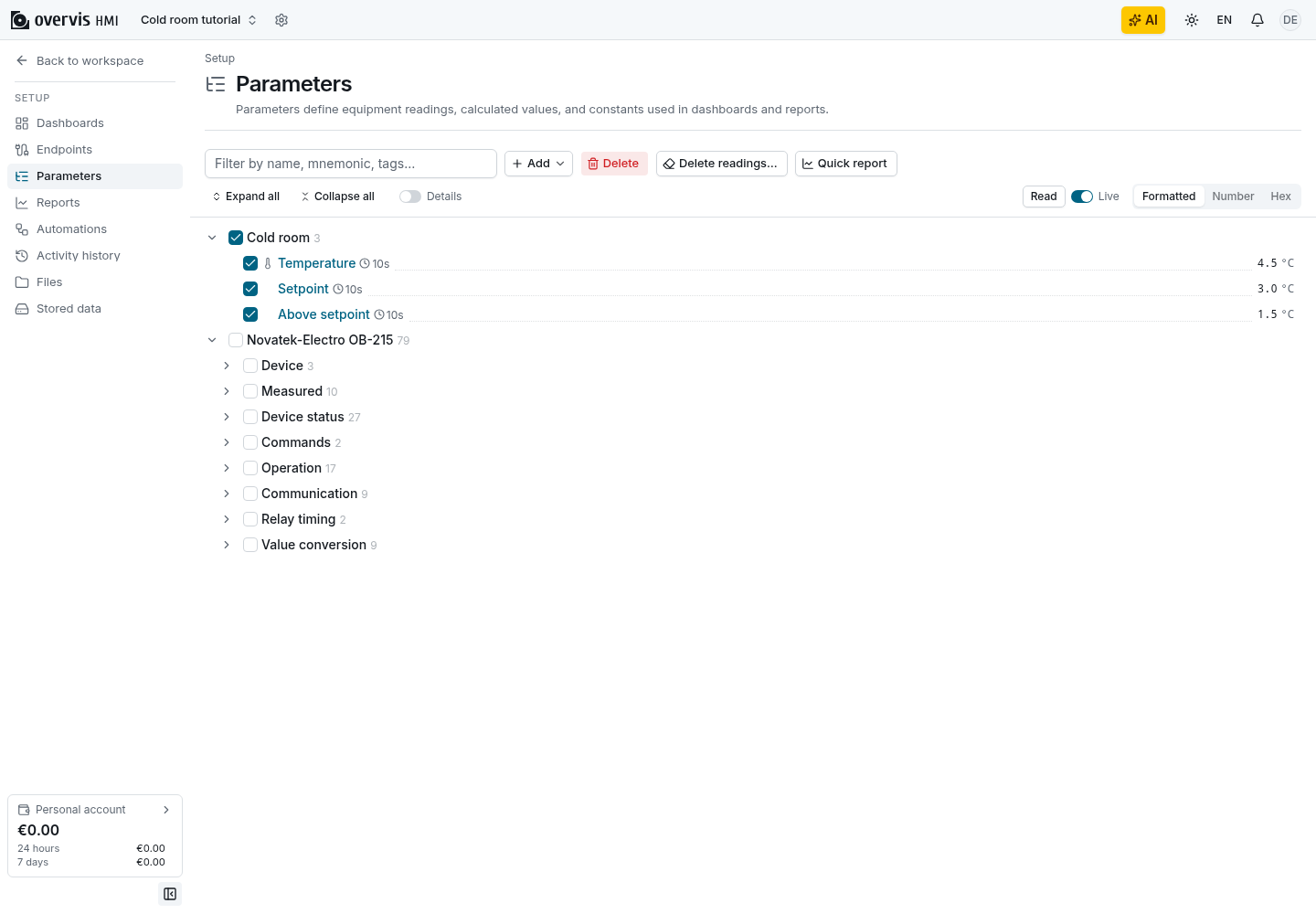
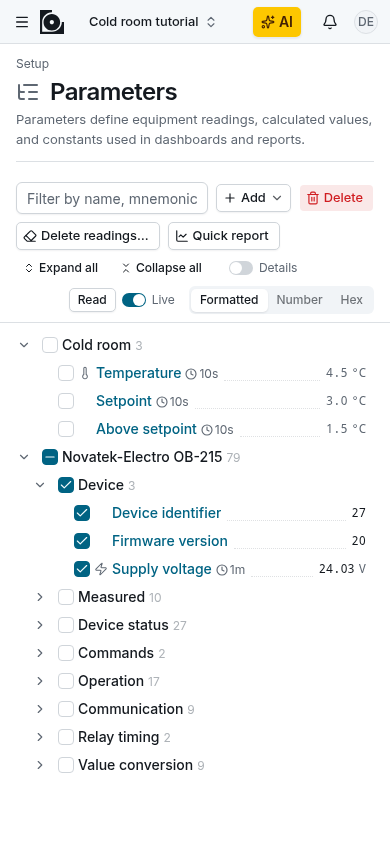
On the Setup Parameters tree, enabled parameters with a period show a clock icon and the period next to the name. A history icon marks parameters whose history includes readings an MC252 program recorded on the device (see record readings on an MC252); such parameters keep history even without a period.
Live values
Section titled “Live values”The last reading stays on screen
Section titled “The last reading stays on screen”A timeout or a lost connection says nothing about the value itself: the tank level did not change because the gateway went quiet. So Setup and dashboards keep showing the last good reading, marked as stale with the time it was taken, and show the failure next to it. A definite answer from the device or the setup, such as a Modbus exception, a value the value type cannot decode, or a disabled parameter, does replace the value, because the old number is no longer the best thing to show.
A write is not a read-back
Section titled “A write is not a read-back”A successful write means the device accepted the bytes, not that it now holds that value. Overvis does not read a register back as part of a write: a device can clamp a value, a command register can clear itself after it runs, and some devices report a command’s effect in another register. After every write, Setup and dashboards read the parameter again; until that read completes, they show the last reading as stale. The next reading shows what the device actually holds, which can differ from what you wrote without the write having failed.
Partial success
Section titled “Partial success”Writing several parameters at once is not a transaction. Each parameter succeeds or fails on its own: writing three setpoints can apply two and report a disconnected endpoint for the third. The successful writes are not rolled back, because they already reached the device.
Choosing a source
Section titled “Choosing a source”| Need | Source |
|---|---|
| Soft setpoint or UI-only flag stored in cloud | const + allowWrite |
| Derived value from other parameters | calc |
| Live PLC or instrument I/O | modbus-tcp + endpoint |
Devices on an RS-485 bus are reached through a Modbus TCP gateway, such as an MC252, with a
modbus-tcp source on the gateway’s endpoint and the device’s unit ID.
Every source needs a value type that matches the bytes it
supplies; the pairs are listed in
source bytes and value types.
A mismatch usually saves and then fails when read, with decode_error or encode_error, so read
the value once after you save. For example, two holding registers that hold an IEEE float need
num with float32 packing and byteLength: 4, with the
byte or word swap the device uses. A
constant holds what you intend to store, which is often text (str) or a number (int or num).
Changing a parameter’s source kind in Setup replaces the source with defaults and keeps the value type, so check the value type after a switch. Switching the value type replaces all its settings with defaults, so review every field after that too. Copying a known-good sibling parameter is usually easier than building a value type from scratch.
Calc formulas
Section titled “Calc formulas”Placeholders are #1, #2, … in the order of the inputs, and transforms use the same
formula language with x. Keep inputs numeric: num,
int, or bool as 0 and 1. Keep dependency chains shallow: Setup refuses loops, and very deep
chains fail when read. Match the result type to the value type: int gives a 32-bit signed integer
and float a 64-bit float. Two values from one register, such as a firmware major and minor
version, are two Modbus parameters with a byte filter rather than a formula.
Modbus addresses
Section titled “Modbus addresses”Modbus addresses are zero-based, the numbers sent on the wire. Many device manuals number registers
from 1, or in the “40001” style, so the same holding register can appear as 40001 in the manual and
0 in Overvis. The offset depends on the vendor: confirm it against the manual, or read a register
whose value you know, before you trust a whole map.
Modbus writes
Section titled “Modbus writes”- For a setpoint in one coil or register,
single-writeis the simplest write function. - For a value across contiguous registers, such as a float in two registers,
multi-or-single-writeoralways-multi-writewrites them in one request, consistent with how they are read. - Addresses with gaps fail with
sparse_write_unsupportedunderalways-multi-write. Split them into several parameters, or usesingle-writeormulti-or-single-write, which write them one by one. - Keep
atomic: true(the default for several addresses) when a partial read would be inconsistent, as with a float split across two registers.
Naming and identity tips
Section titled “Naming and identity tips”- Dashboards refer to parameters by id, so names can change freely and need not be unique.
- Use the mnemonic for short PLC-style tags on dense panels; keep the name human-readable.
- Put engineering units in Units rather than in the name.
Can two parameters share a name? Yes. Tell them apart by branch, tags, or mnemonic.
Can I reorder siblings in Setup? No. Items keep the order in which they were created.
Does disabling a constant clear its stored value? No. The value stays; reads and writes are refused until the parameter is enabled again.
Can I undo a large delete? Deleting more than one item at once creates a checkpoint, so you can revert the setup.