Novatek-Electro EM-126T Documentation
https://www.overvis.com/docs/pl/em-126t/
2026-07-30
 Novatek-Electro EM-126T Documentation Novatek-Electro EM-126T Documentation | |||||||||
|---|---|---|---|---|---|---|---|---|---|
Novatek-Electro EM-126T
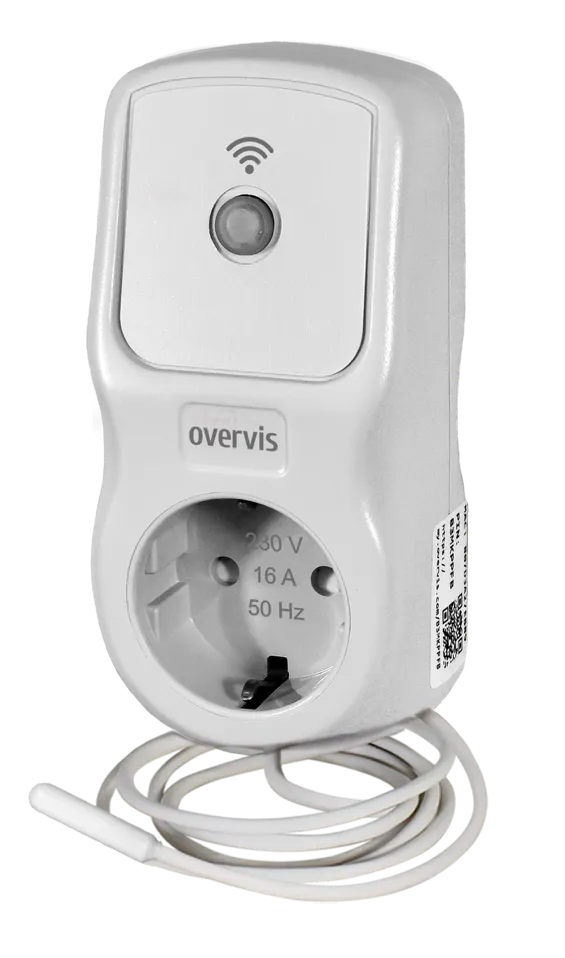
EM-126T to wielofunkcyjny przekaźnik czasowy z obsługą Wi-Fi (inteligentna wtyczka) z wbudowanym czujnikiem temperatury, produkowany przez NOVATEK-ELECTRO LTD. Jest przeznaczony do automatyki domowej, umożliwiając użytkownikom sterowanie obciążeniami według harmonogramu lub ręcznie, jednocześnie chroniąc je przed anomaliami napięcia i przeciążeniami. Zintegrowany czujnik temperatury umożliwia urządzeniu sterowanie sprzętem grzewczym lub chłodzącym na podstawie zmierzonej temperatury powietrza. Kluczowe cechyDział zatytułowany „Kluczowe cechy”
Warianty produktuDział zatytułowany „Warianty produktu”EM-126T jest dostępny w różnych wariantach w zależności od długości kabla czujnika temperatury:
Typowe zastosowaniaDział zatytułowany „Typowe zastosowania”
DokumentacjaDział zatytułowany „Dokumentacja”
Zasoby dodatkoweDział zatytułowany „Zasoby dodatkowe”
WsparcieDział zatytułowany „Wsparcie”
|
| Novatek-Electro EM-126T Documentation | ||||||||||||||||||||||||||||||||||||||||||||||||||||||||||||||||||||||||||||||||||||||||||||||||||||||||||||||||||||||||||||||||||||||||||||||||||||||||||||||||||||||||||||||||||||||||||||||||||||||||||||||||||||||||||||||||||||||||||||||||||||||||||||||
|---|---|---|---|---|---|---|---|---|---|---|---|---|---|---|---|---|---|---|---|---|---|---|---|---|---|---|---|---|---|---|---|---|---|---|---|---|---|---|---|---|---|---|---|---|---|---|---|---|---|---|---|---|---|---|---|---|---|---|---|---|---|---|---|---|---|---|---|---|---|---|---|---|---|---|---|---|---|---|---|---|---|---|---|---|---|---|---|---|---|---|---|---|---|---|---|---|---|---|---|---|---|---|---|---|---|---|---|---|---|---|---|---|---|---|---|---|---|---|---|---|---|---|---|---|---|---|---|---|---|---|---|---|---|---|---|---|---|---|---|---|---|---|---|---|---|---|---|---|---|---|---|---|---|---|---|---|---|---|---|---|---|---|---|---|---|---|---|---|---|---|---|---|---|---|---|---|---|---|---|---|---|---|---|---|---|---|---|---|---|---|---|---|---|---|---|---|---|---|---|---|---|---|---|---|---|---|---|---|---|---|---|---|---|---|---|---|---|---|---|---|---|---|---|---|---|---|---|---|---|---|---|---|---|---|---|---|---|---|---|---|---|---|---|---|---|---|---|---|---|---|---|---|---|---|
EM-126T Operating Manual
WI-FI CONTROL MULTIFUNCTIONAL TIMER RELAY EM-126T OPERATING MANUAL PASSPORT Quality management system for product development and manufacturing complies with ISO 9001:2015 requirements Dear Customer, NOVATEK-ELECTRO thanks you for purchasing our product. After carefully studying this Operating Manual, you will be able to use the product correctly. Keep this Operating Manual throughout the entire service life of the product. Ukraine, Odesa — www.novatek-electro.com 1 PurposeSection titled “1 Purpose”The multifunctional timer relay EM-126T (hereinafter referred to as the product or EM-126T) is a microprocessor device designed for home automation — a smart plug. EM-126T allows you to turn on/off loads according to a schedule or manually, while simultaneously protecting the load from various voltage emergencies and power overloads. EM-126T includes a temperature sensor (for measuring air temperature), which allows the product to control heating or cooling equipment depending on the measured air temperature value. EM-126T is equipped with one control button (for entering Wi-Fi setup mode or manual load control) with two indicators (for displaying emergencies, load status, and Wi-Fi network connection status). After registration on the “my.overvis.com” server, control and configuration of EM-126T is possible from anywhere in the world with an internet connection. EM-126T accumulates energy consumption statistics in real time and sends the accumulated data to the “my.overvis.com” server, allowing you to view saved reports for a week, month, or year. You can save electricity and reduce your costs by using EM-126T to control heating and ventilation equipment according to a pre-planned schedule. Based on energy consumption statistics, the “my.overvis.com” server can suggest the most optimal schedule settings. Main FeaturesSection titled “Main Features”
Product VariantsSection titled “Product Variants”The EM-126T is available in several variants depending on the cable length:
ControlsSection titled “Controls”
1 — “ENTER” control and indication button 2 — “Plug” — for connecting to the mains 3 — “Socket” — for connecting the load 4 — Temperature sensor Figure 1 — EM-126T Controls ”ENTER” Button IndicationSection titled “”ENTER” Button Indication”
2 Terms and AbbreviationsSection titled “2 Terms and Abbreviations”Wi-Fi — a set of standards for transmitting digital data streams via radio channel RMS — Root Mean Square (effective) value AR — Automatic Reclosing of the load Default — preset parameter values that the product uses in its operation until the user explicitly changes these values Web interface — a system for user interaction with the product through a computer browser Purple — indicator color obtained by mixing blue and red light 3 Technical SpecificationsSection titled “3 Technical Specifications”
The product maintains its functionality in any spatial orientation. Case material — self-extinguishing plastic. The product complies with: DSTU EN 60947-1:2017; DSTU EN 60947-6-2:2014; DSTU EN 55011:2017; DSTU EN 61000-4-2:2018. No harmful substances in quantities exceeding maximum permissible concentrations. ¹ — sensor type may be changed by the manufacturer without affecting the product’s technical specifications ² — provided that SNTP server synchronization is enabled ³ — provided that the product has been powered from the mains for at least 30 minutes 4 Operating ModesSection titled “4 Operating Modes”The product can operate in three modes:
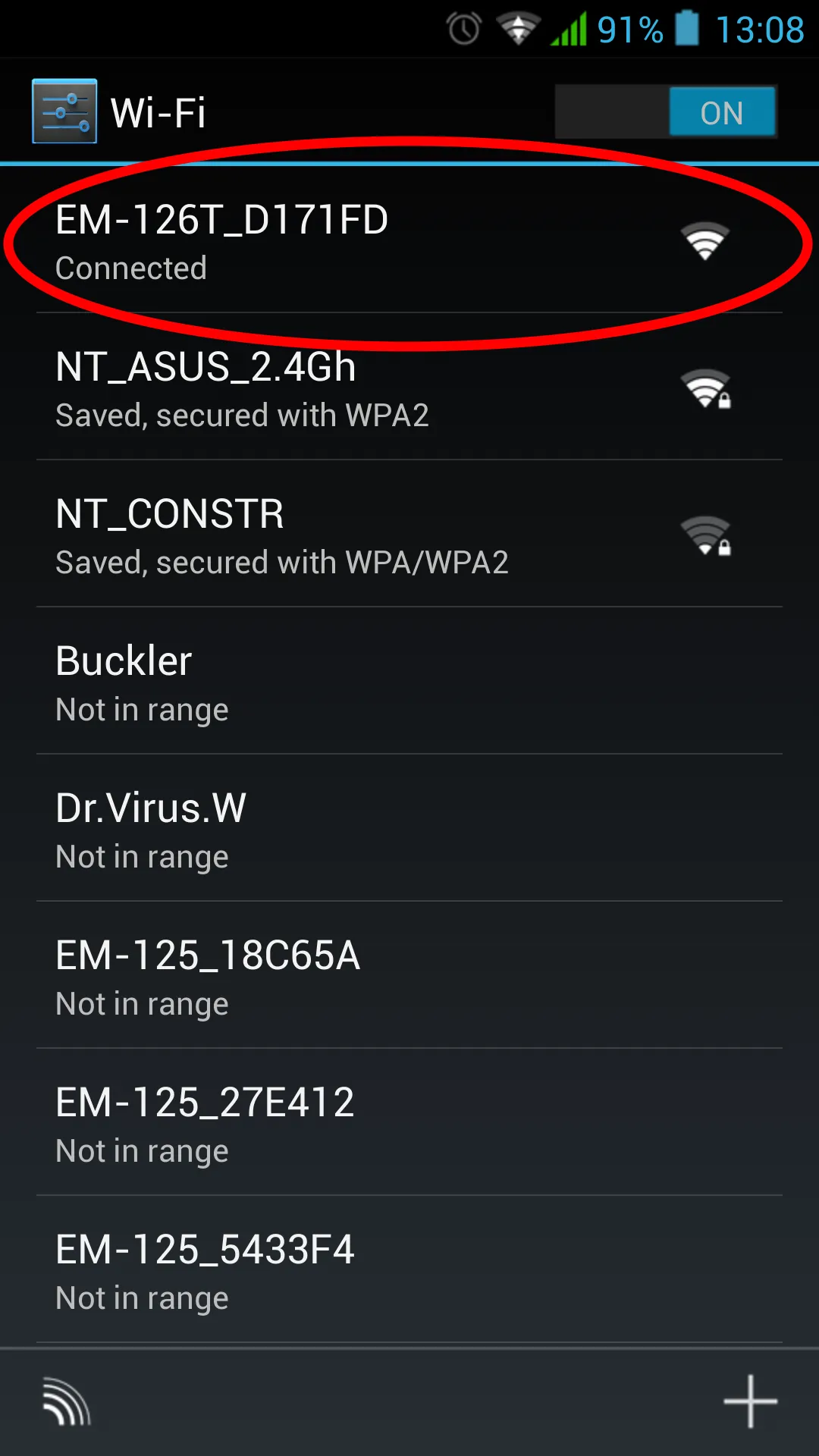
Normal Operation ModeSection titled “Normal Operation Mode”EM-126T connects to the user-specified access point, performs measurements and monitors mains parameters (voltage and current) to protect the load, as well as maintains temperature according to the user-defined schedule. In case of an emergency (current or voltage value exceeding the set level, voltage dropping below the set level, temperature sensor malfunction), the product performs emergency load disconnection. Manual Control ModeSection titled “Manual Control Mode”If the user manually changed the load state from the front panel or remotely via the “my.overvis.com” server, EM-126T blocks the execution of the current scheduled event and switches to manual control mode. After the next scheduled event occurs, EM-126T returns to normal operation mode. The manual control state is remembered even after the product is disconnected from the mains. Wi-Fi Connection Setup ModeSection titled “Wi-Fi Connection Setup Mode”In Wi-Fi connection setup mode, EM-126T creates its own access point named “EM-126T_xxxxxxxx”, where xxxxxxxx is the unique product code. The user, by connecting to this access point and using a web browser (Opera, Google Chrome, Firefox, etc.) to navigate to “http://192.168.4.1”, gains access to the product’s Wi-Fi connection settings. 5 Product ConnectionSection titled “5 Product Connection”To connect:
6 Product ConfigurationSection titled “6 Product Configuration”Wi-Fi Connection SetupSection titled “Wi-Fi Connection Setup”
To enter the setup mode, press and hold the “ENTER” button (Fig. 1, pos. 1) on the front panel of the product for 5-6 seconds. The “ENTER” button will start flashing blue-red and EM-126T will create an access point named “EM-126T_xxxxxxxx”, where xxxxxxxx is the unique product code. Using an electronic device (PC with Wi-Fi, phone, tablet, laptop, etc.), connect to the access point using the following parameters:
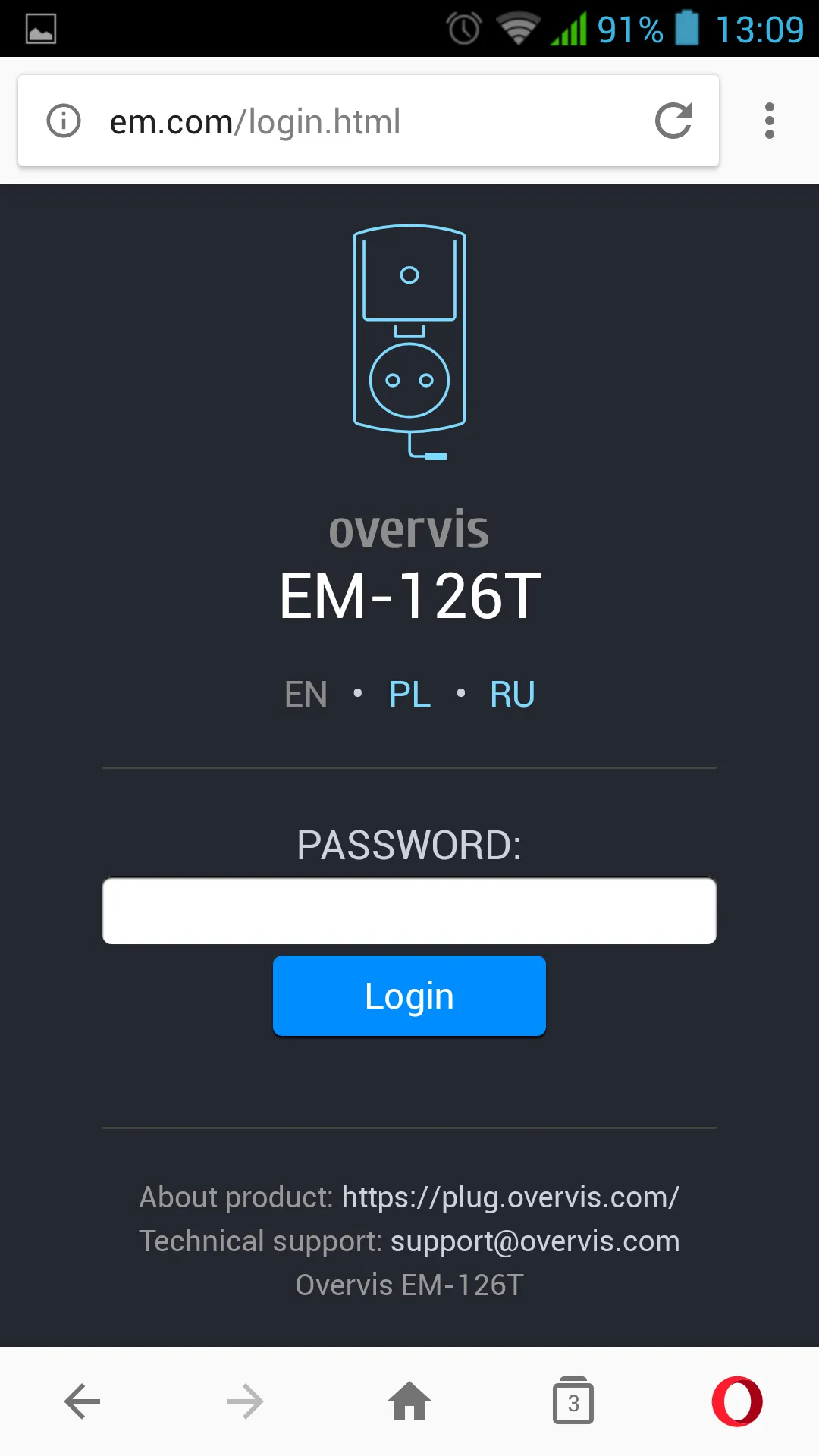
Launch a web browser (Google Chrome, Opera, Firefox, etc.) on the electronic device. In the browser address bar, enter “http://em.com” or “http://192.168.4.1” and navigate to the entered link. The EM-126T web interface will be displayed on the electronic device screen. Follow the on-screen instructions to configure the Wi-Fi connection for EM-126T and complete authorization on the “my.overvis.com” server. Web Interface DescriptionSection titled “Web Interface Description”User AuthorizationSection titled “User Authorization”
After opening the EM-126T web interface in a PC browser (or any other device with a browser installed), the user authorization page will be displayed. To access EM-126T, enter the login (default “admin”). StatusSection titled “Status”
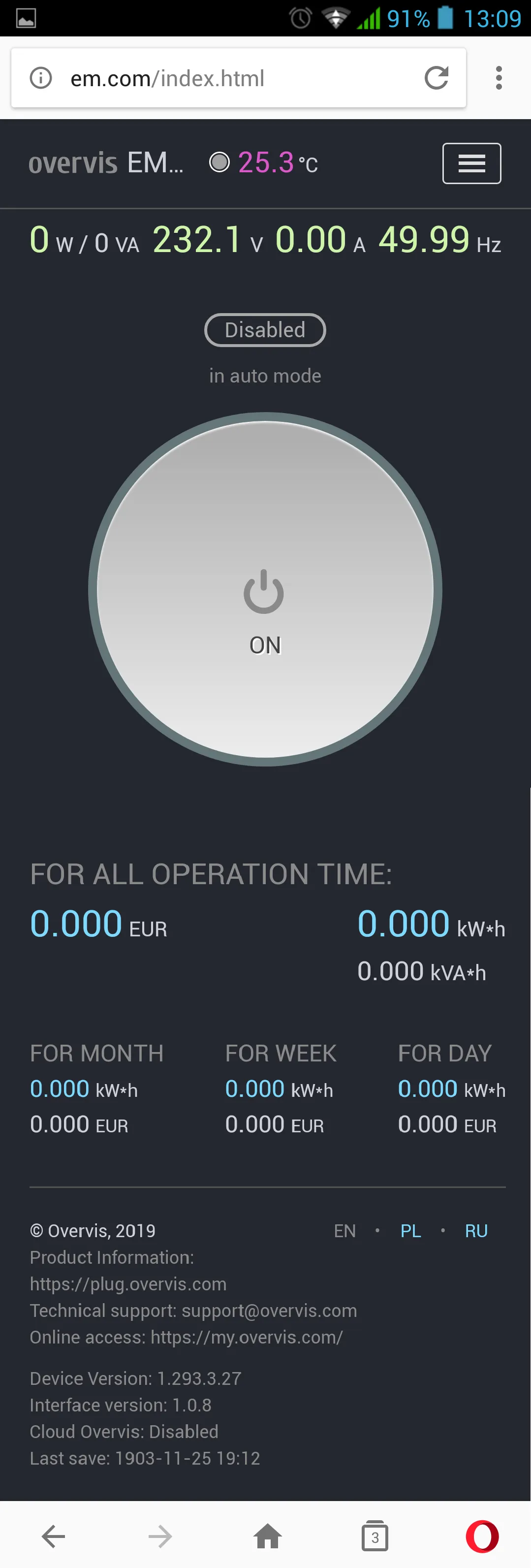
After successful authorization, the status page loads, displaying current information about the EM-126T state. All information is read-only. At the top of the screen, the device name “overvis EM-126T”, current temperature “23.3°C”, and the ”☰” button for opening the main menu are displayed. In the middle of the screen, there is a manual control button and readings of measured mains parameters (load current and power, mains voltage and frequency). At the bottom of the screen, there are counters of consumed electricity and the amount of money spent. Main MenuSection titled “Main Menu”
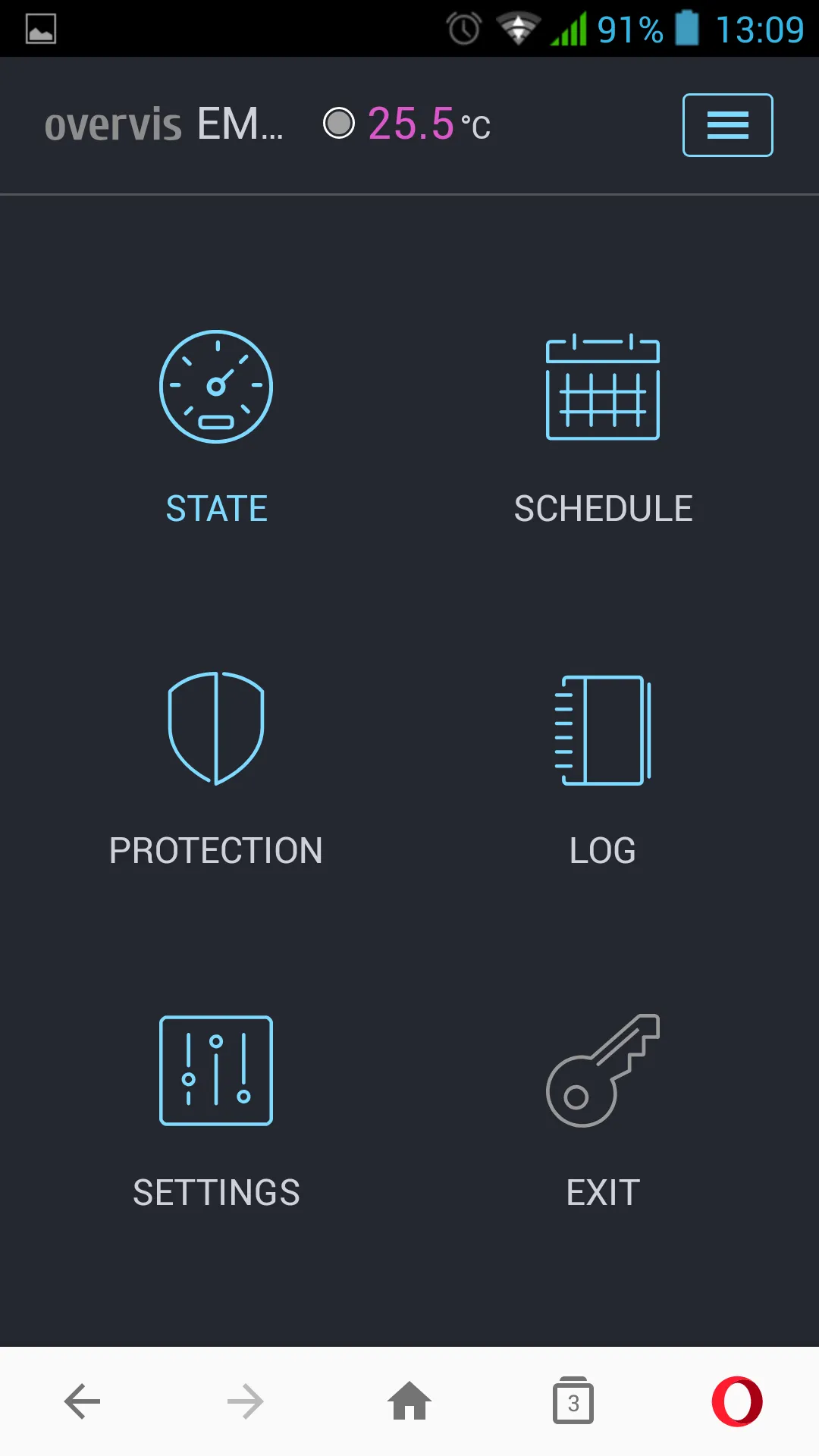
After pressing the ”☰” button, the main menu of the product will be displayed. To close the menu, press the ”☰” button. ScheduleSection titled “Schedule”
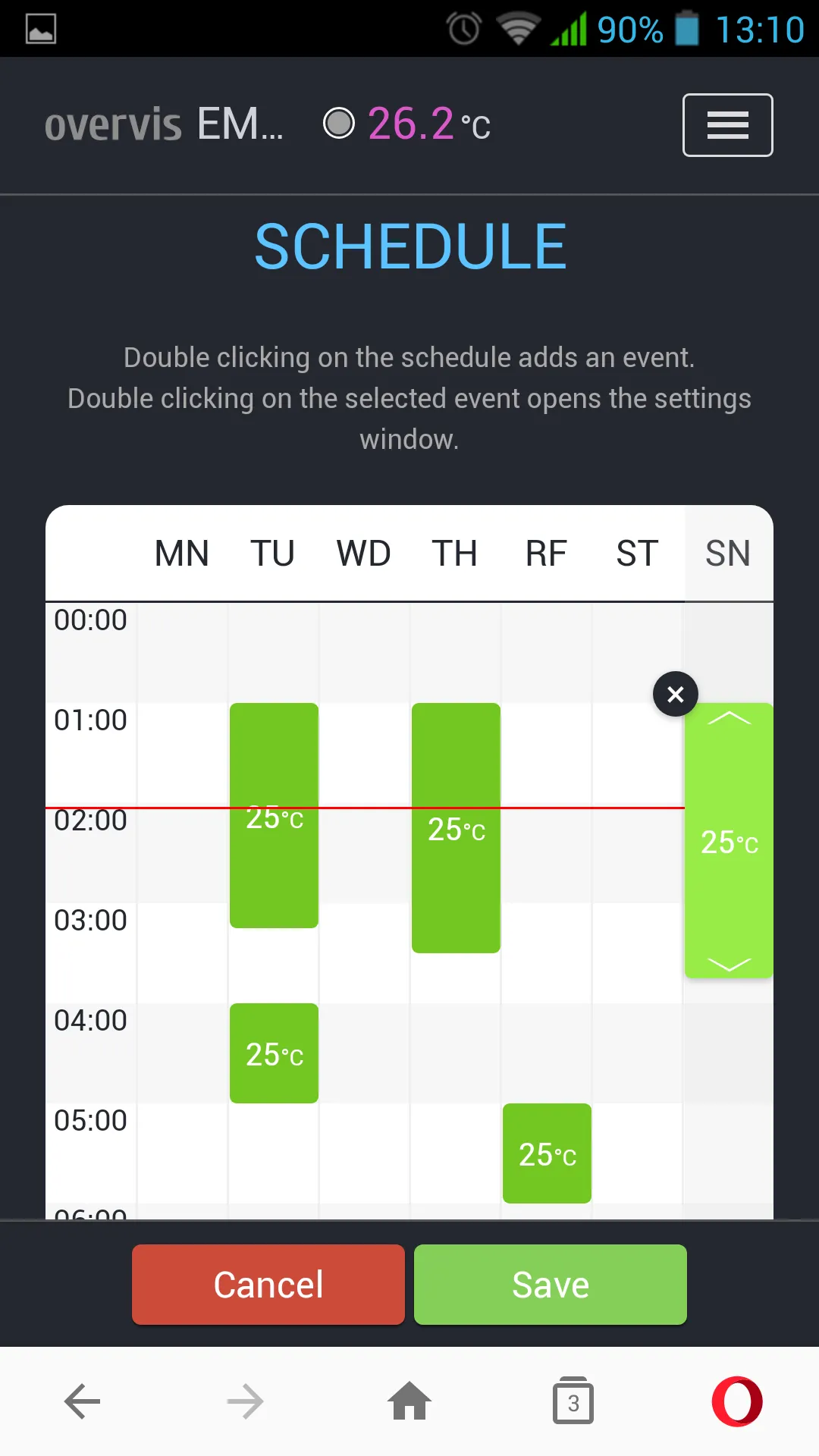
Opens after navigating to the “SCHEDULE” menu item. Double-clicking on the graph adds an event. Double-clicking on an event opens the event settings window. Changing the event time is done by dragging the entire block or using the ”◀” and ”▶” elements. To delete an event, press ”✕” in the upper left corner of the event. To save the current schedule to EM-126T — press the “Save” button. To cancel changes — press the “Cancel” button. ProtectionSection titled “Protection”
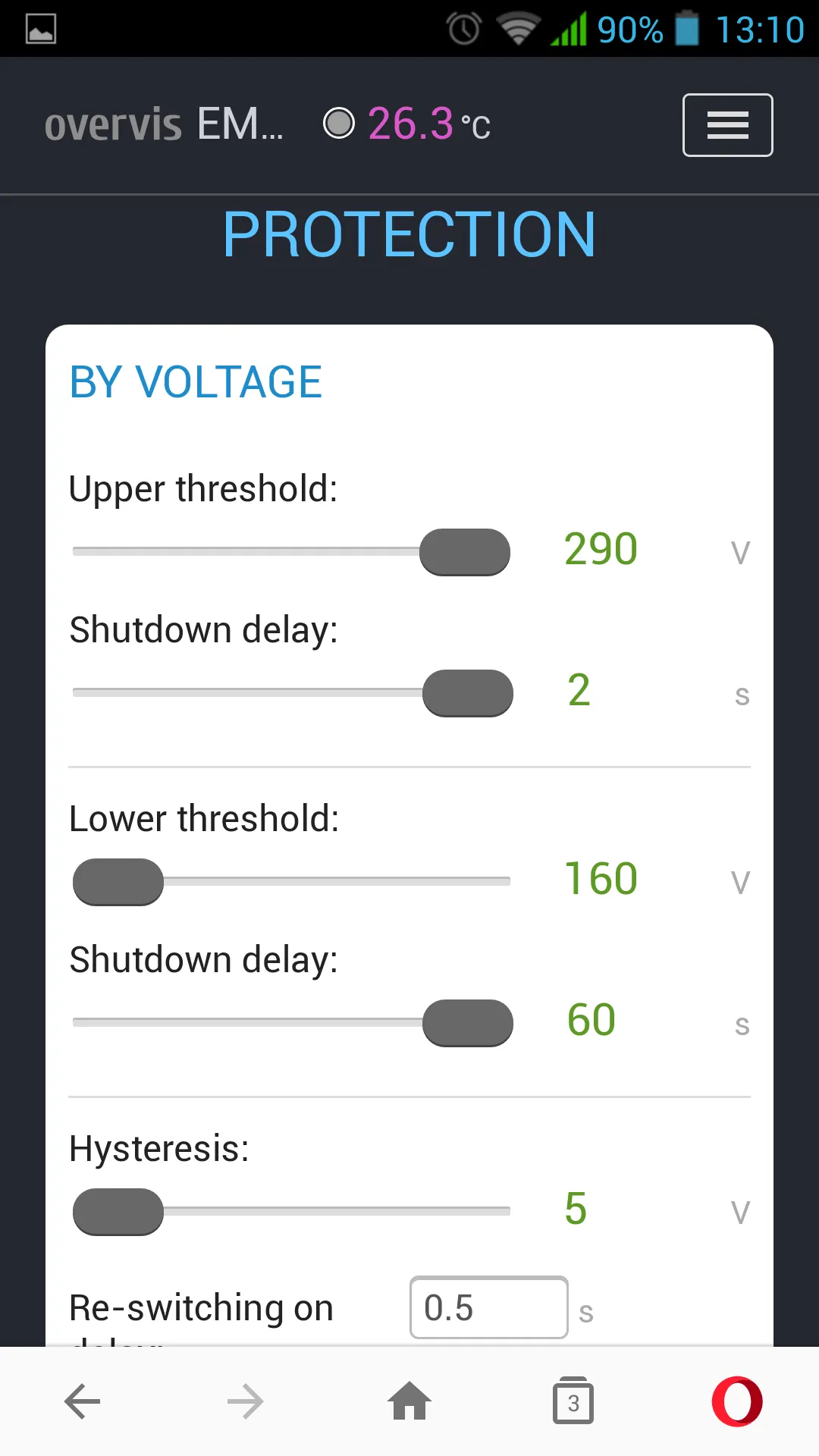
Opens after navigating to the “PROTECTION” menu item. This menu item contains the protective function settings for EM-126T:
Voltage Protection:
Current Protection:
Power Protection:
SettingsSection titled “Settings”
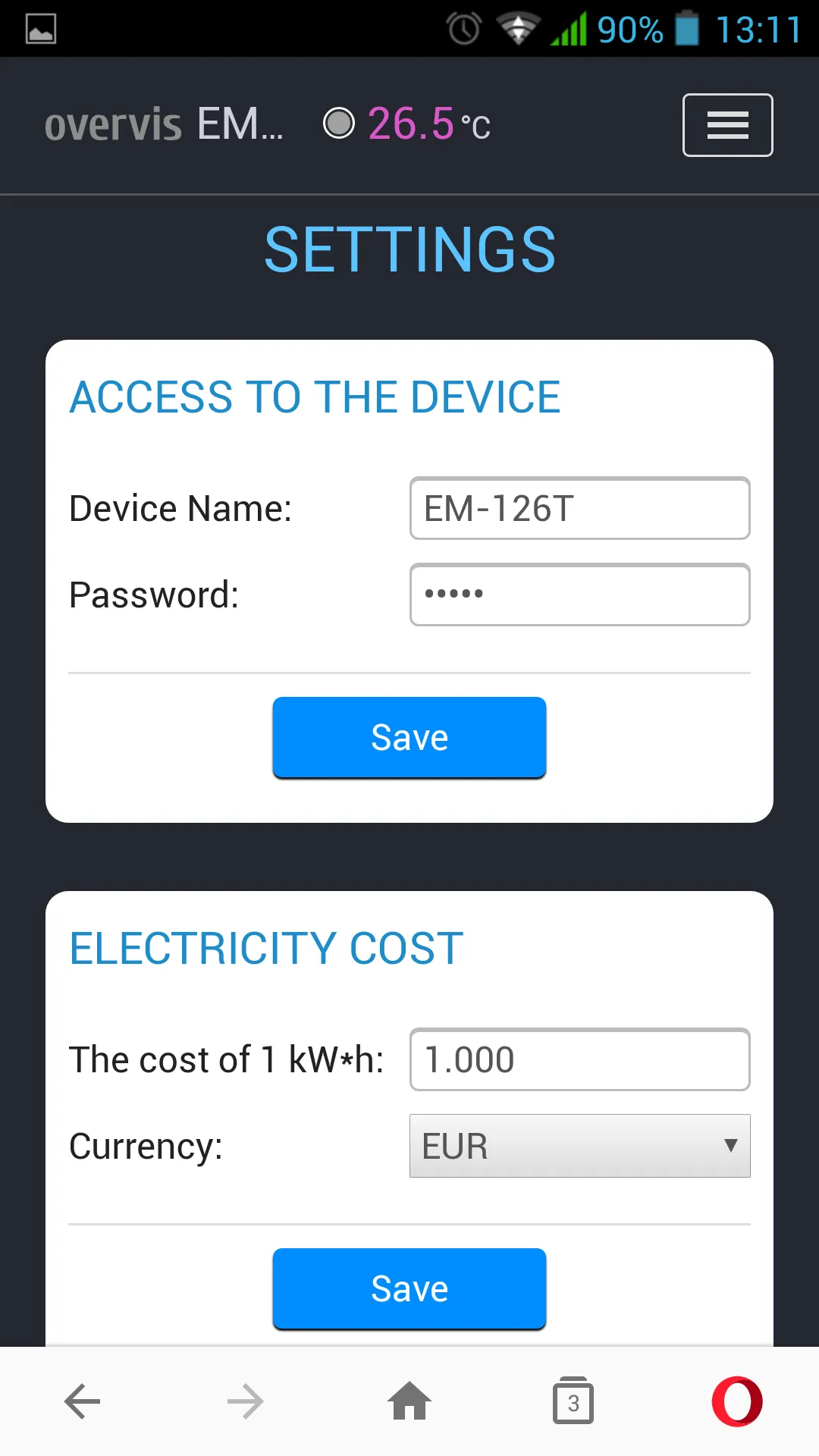
Opens after navigating to the “SETTINGS” menu item. This menu item contains the main EM-126T settings:
Device Access:
Temperature:
Electricity Cost:
Wi-Fi:
Vacation:
Date and Time:
Overvis Cloud:
Advanced:
Configurable ParametersSection titled “Configurable Parameters”
Voltage ProtectionSection titled “Voltage Protection”
Current ProtectionSection titled “Current Protection”
Power ProtectionSection titled “Power Protection”
VacationSection titled “Vacation”
Device AccessSection titled “Device Access”
Electricity CostSection titled “Electricity Cost”
Date and TimeSection titled “Date and Time”
TemperatureSection titled “Temperature”
Overvis Cloud (my.overvis.com)Section titled “Overvis Cloud (my.overvis.com)”
AdvancedSection titled “Advanced”
Remote Configuration and Control via “my.overvis.com” ServerSection titled “Remote Configuration and Control via “my.overvis.com” Server”Configuration and control via the “my.overvis.com” server is only possible after configuring the Wi-Fi connection and completing authorization on the “my.overvis.com” server (see “Wi-Fi Connection Setup”). On an electronic device (PC, laptop, mobile phone, tablet, etc.), enter the link “http://my.overvis.com/smartplug” in the web browser address bar (Google Chrome, Opera, Firefox, etc.) and navigate to it. The screen of the device from which the navigation was performed will display connection options for EM-126T. Select the most appropriate option and follow the further instructions displayed on the screen. After connecting to EM-126T, configure the necessary parameters following the on-screen instructions. To disconnect from EM-126T — simply close the “my.overvis.com” page. 7 Product Operation DescriptionSection titled “7 Product Operation Description”The product operation description uses the manufacturer’s default settings. Normal Product OperationSection titled “Normal Product Operation”The load operation logic (on/off) depends on the specified load type (“Load type” parameter). If “Load type” is set to “Heater”, the load will turn on when the temperature reaches a value equal to “Temperature setpoint” minus 3°C “Temperature hysteresis”, and the load will turn off when the temperature reaches a value equal to “Temperature setpoint”. If “Load type” is set to “Cooler”, the load will turn on when the temperature reaches a value equal to “Temperature setpoint” plus 3°C “Temperature hysteresis”, and the load will turn off when the temperature reaches a value equal to “Temperature setpoint”. After the load is turned on, EM-126T constantly monitors the mains voltage, current, and power consumed by the load. If one of them exceeds the set thresholds, EM-126T performs emergency load disconnection. Also, after EM-126T is plugged into the mains socket, it connects to the user’s Wi-Fi network (for time synchronization and access to the “my.overvis.com” server). After receiving a manual control command (from the front panel or the “my.overvis.com” server), the current scheduled event execution is blocked, the load is turned off (or turned on depending on the command), and EM-126T switches to manual control mode. After the next scheduled event occurs, manual control is disabled and EM-126T returns to normal operation mode. Every 1-2 hours (depending on the “my.overvis.com” server load), accumulated statistics are sent to the “my.overvis.com” server. Load Protection by Mains VoltageSection titled “Load Protection by Mains Voltage”During operation, EM-126T constantly measures the mains voltage value. In case of a sudden voltage increase above 300±10 V, load disconnection will occur with a minimum time delay of 0.02 s (fixed time). In case of a gradual voltage increase above the 255 V threshold (Upper disconnect threshold), the load will be disconnected after 0.5 s (Upper threshold disconnect delay). After load disconnection, if the mains voltage decreases below 250 V (“Upper disconnect threshold” minus “Hysteresis”), return to normal operation mode will occur after the AR time. In case of voltage decrease below the 190 V threshold (Lower disconnect threshold), the load will be disconnected after 12.0 seconds (Lower threshold disconnect delay). After load disconnection, if the mains voltage increases above 195 V (“Lower disconnect threshold” plus “Hysteresis”), return to normal operation mode will occur after the AR time. Product operation in emergency mode is described in the “Load Disconnection Due to Emergency” section. Load Protection by Consumption CurrentSection titled “Load Protection by Consumption Current”During operation, EM-126T constantly measures the current consumed by the load. In case of load current increase above the 10 A threshold (Disconnect threshold), the load will be disconnected after 5.0 seconds (Disconnect delay). After load disconnection, return to normal operation mode will occur after the AR time. Product operation in emergency mode is described in the “Load Disconnection Due to Emergency” section. Load Protection by Consumption PowerSection titled “Load Protection by Consumption Power”During operation, EM-126T constantly measures the power consumed by the load. In case of load power increase above the 2300 W threshold (Disconnect threshold), the load will be disconnected after 5.0 seconds (Disconnect delay). After load disconnection, return to normal operation mode will occur after the AR time. Product operation in emergency mode is described in the “Load Disconnection Due to Emergency” section. Load Disconnection Due to EmergencySection titled “Load Disconnection Due to Emergency”In case of an emergency situation (voltage, current, power exceeding values, etc.), the load is disconnected, AR time countdown begins, and the “ENTER” button starts glowing red. After the emergency situation disappears, the “ENTER” button starts flashing red with a 0.5 s period, indicating that the AR time countdown is in progress, after which the load will be automatically turned on. If the AR time countdown ended before the emergency situation disappeared, then the load will be turned on without delay after the emergency situation disappears. If the number of automatic reclosing attempts has been exceeded (for current and power protection — “3”, for voltage protection — “always”), the product will block load activation and the “ENTER” button will constantly glow red. To restore product operation, disconnect it from the mains socket, wait 5 seconds, and plug it back in. Load Control from the Front PanelSection titled “Load Control from the Front Panel”A single press on the “ENTER” button lasting 2-4 seconds switches the product to manual load control mode, with each button press turning on (if it was off) or turning off (if it was on) the load. Factory ResetSection titled “Factory Reset”To reset to factory settings:
After the factory reset is complete, the “ENTER” button will stop flashing, and the product will perform an automatic restart. Settings are reset to factory defaults and the product is ready for use. Data Exchange Protocol Between EM-126T and “my.overvis.com” ServerSection titled “Data Exchange Protocol Between EM-126T and “my.overvis.com” Server”The data exchange protocol between EM-126T and the “my.overvis.com” server is a closed protocol and is not disclosed for security purposes. All data is received and sent in encrypted form using 256-bit encryption. 8 Operating ConditionsSection titled “8 Operating Conditions”The product is designed for operation under the following conditions:
Before connecting to the electrical network, keep the product in operating conditions for two hours (as moisture condensation may occur on product components). 9 Safety MeasuresSection titled “9 Safety Measures”Do not allow water to get on the internal components of the product, socket, and plug. To improve operational characteristics, it is recommended to use the product with a load current not exceeding 10 A. During operation and maintenance, follow the requirements of: “Rules for Technical Operation of Consumer Electrical Installations”; “Safety Rules for Operation of Consumer Electrical Installations”; “Labor Protection for Operation of Electrical Installations”. 10 MaintenanceSection titled “10 Maintenance”During maintenance, disconnect the product and devices connected to it from the mains socket. Recommended maintenance frequency — every six months. Maintenance procedure:
Do not use abrasive materials and solvents for cleaning. 11 Transportation and StorageSection titled “11 Transportation and Storage”The product in the manufacturer’s packaging can be transported and stored at temperatures from -45 to +60 °C and relative humidity not more than 80%. During product transportation, protection from mechanical damage must be provided. 12 Service Life and Manufacturer’s WarrantySection titled “12 Service Life and Manufacturer’s Warranty”Product service life is 10 years. After the service life expires, contact the manufacturer. Storage period — 3 years. Warranty period of product operation is 3 years from the date of sale. During the warranty period of operation (in case of product failure), the manufacturer repairs the product free of charge. Warranty service is provided at the place of purchase or by the product manufacturer. Post-warranty service of the product is performed by the manufacturer at current rates. Before sending for repair, the product must be packed in the factory or other packaging that excludes mechanical damage. For all inquiries, contact the manufacturer: NOVATEK-ELECTRO LTD, 59 Mykhaila Boltenka (Adm. Lazareva) St., Odesa, 65007, Ukraine. tel. +38 (067) 565 37 68, +38 (067) 557 12 49. VN230309 |